Start from questions
Six tracks (cloud web, microservices, AI, data, network) build compared candidates, with an ADR draft.
Draw as fast as in draw.io. Every box knows what it is, the diagram is text in git, and the solution is checked against the AWS Well-Architected Framework before the review.
The web version is the same editor, without a folder on the disk or local git.
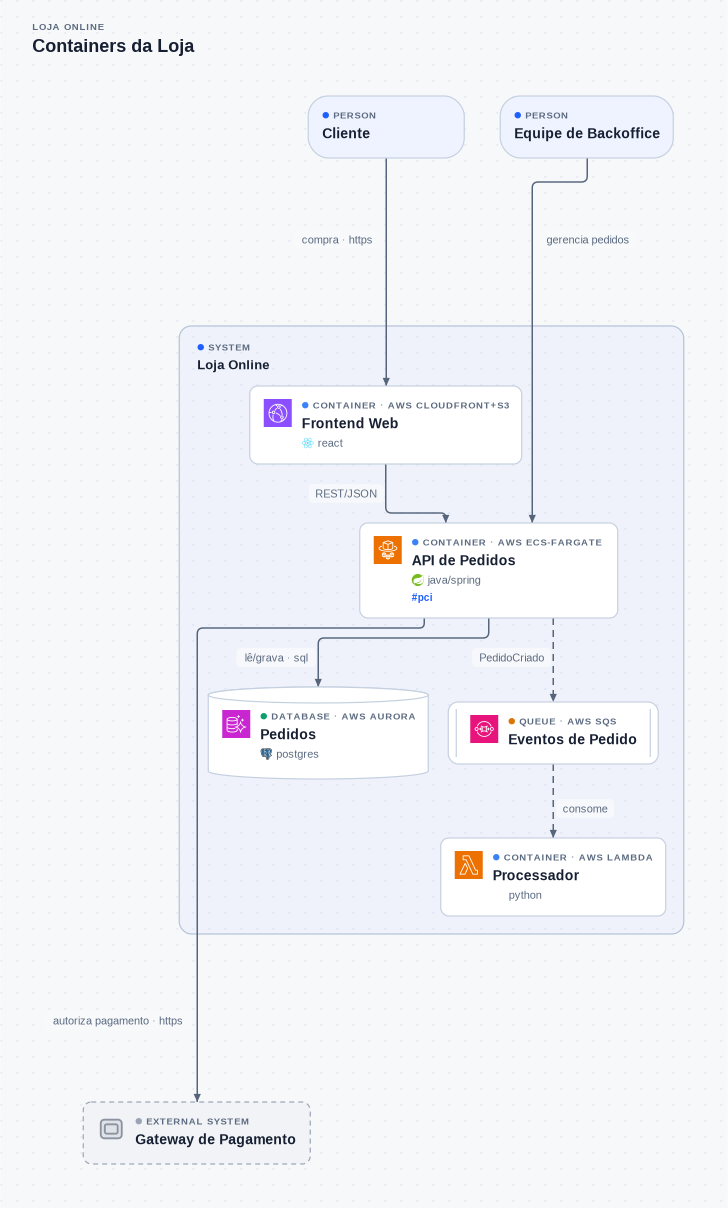
Six tracks (cloud web, microservices, AI, data, network) build compared candidates, with an ADR draft.
API Gateway + BFF, saga, outbox, RAG, lakehouse, landing zone… on AWS, Azure, Google Cloud or cloud-agnostic.
17 AWS rules with a link to the official best practice, a score per pillar and one-click fixes.
Readable .zumen files, clean diffs in git, positions that survive a rename.
Arrows that go around the cards and do not pile up when you drag.
Imports draw.io (with the positions) and exports draw.io, Mermaid, SVG and PNG.
Requirements: 64-bit Windows 10 or 11, with WebView2 (built into Windows 11). For the Git panel, git installed (with your usual credentials).
The warning shows because the beta's installer is not digitally signed yet (the certificate costs money and comes when the product leaves the beta). It does not mean a virus; to be sure, compare the SHA-256 below.
In PowerShell, in the download folder:
Get-FileHash .\Archsmith_0.2.0_x64-setup.exeSHA-256 34AC6298B352BD0226B62DCE3CF55151382DBE3E96318D9C91E8A7D6317F730F
A problem, an idea or a doubt: write it any way you like. Your e-mail opens with the message and you decide whether to send it.
Write an e-mail archsmith.kolbe@gmail.com
In the app: the Feedback button at the top (or Help → Send feedback), with optional technical details you see before sending.